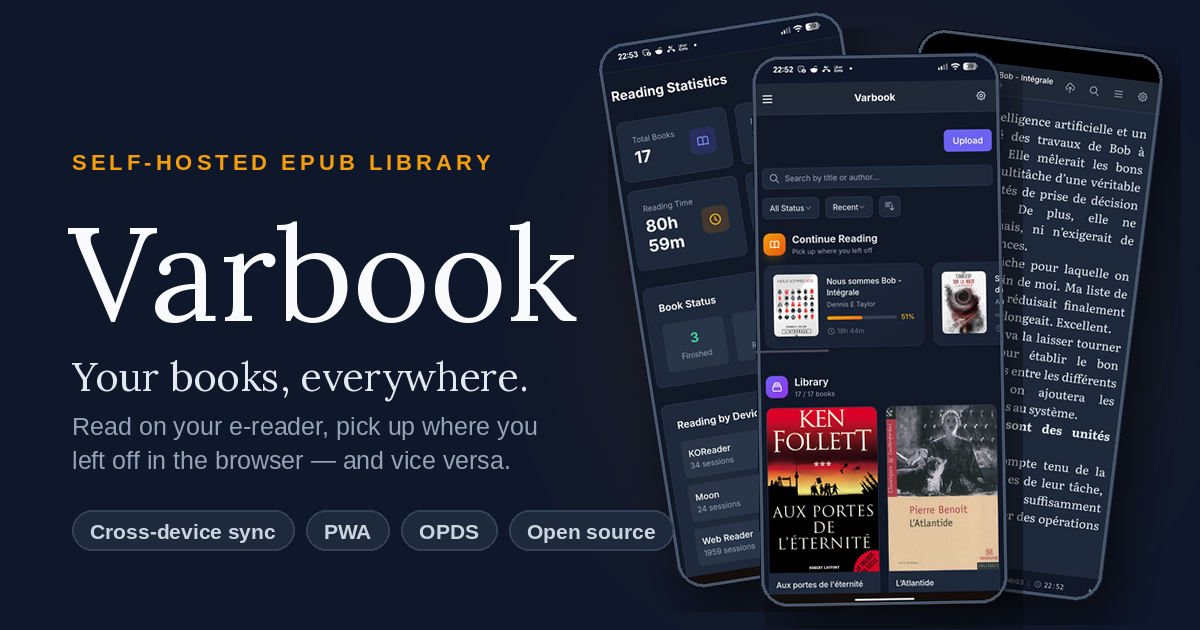
I read every single day. At home it’s on my Kobo running KOReader (yes, I’m that open-source guy), and I love it. The problem: I don’t always have the e-reader on me. On the train, at work, waiting somewhere — I just have my phone.
I tried Kobo’s own Android app to bridge the gap and… I really didn’t like it. Promos everywhere, adding your own books is a pain, the reader itself feels clunky, and the Wi-Fi handling is annoying.
So I built my own thing: Varbook, a small self-hosted EPUB library.
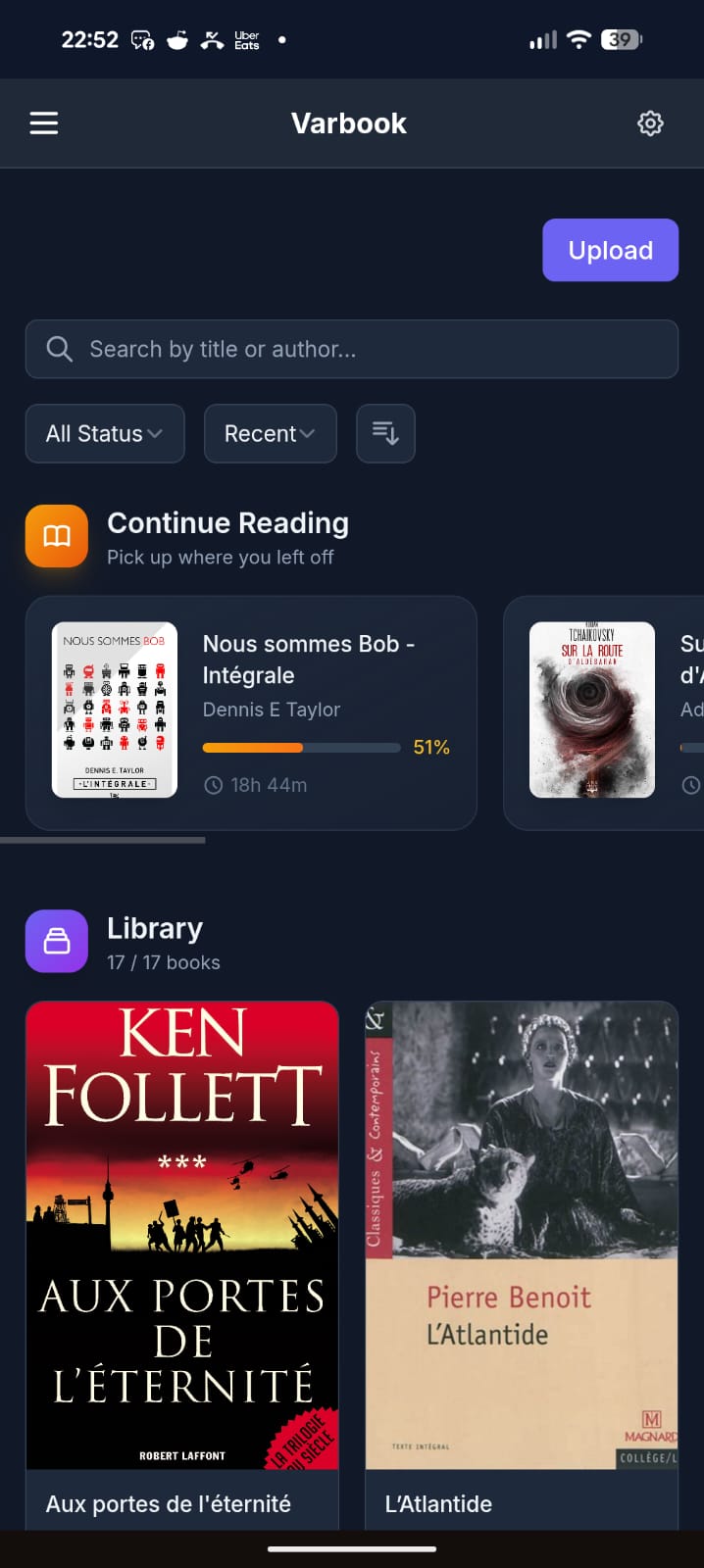
You drop EPUBs into it in one click. From there:
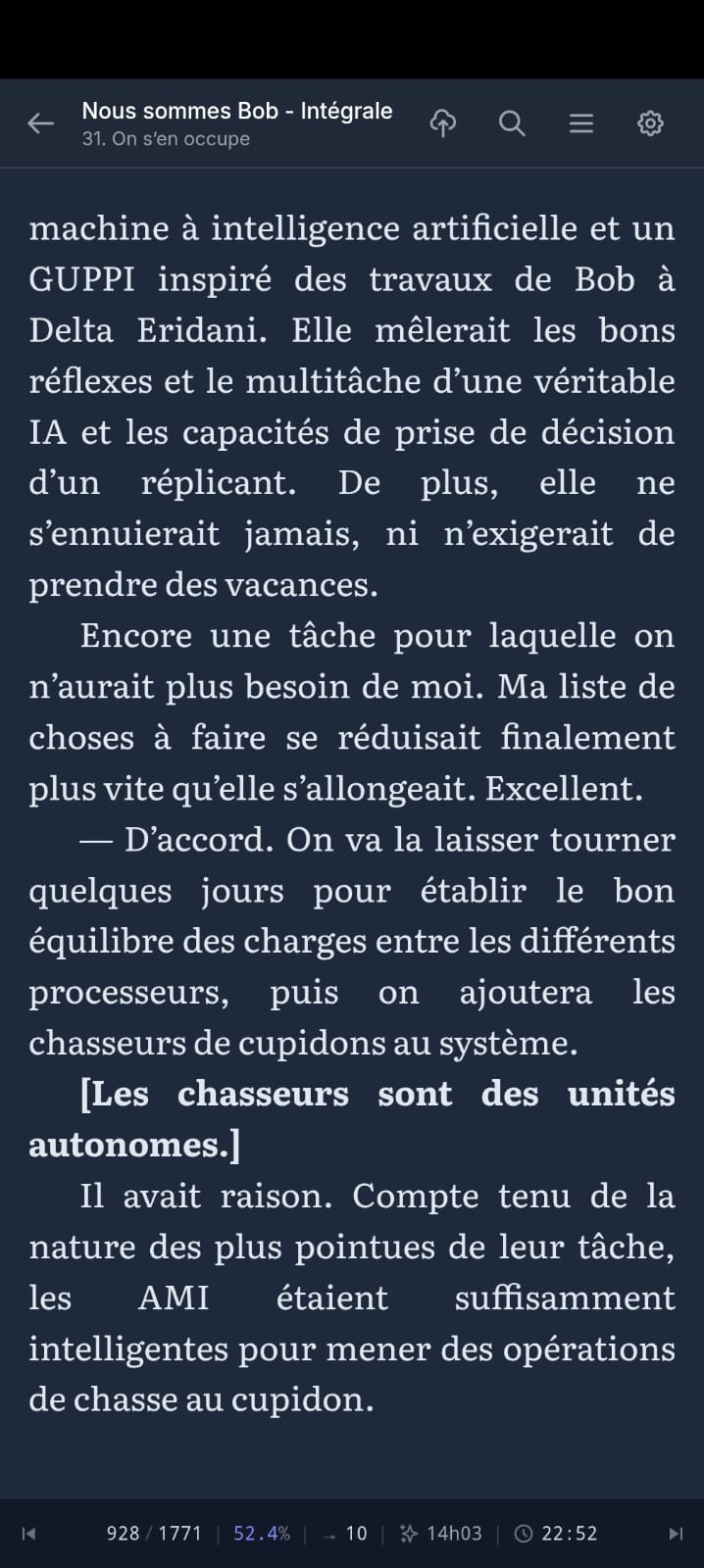
- They’re readable on your phone through a simple but well-made PWA. Books are cached locally, so you can read offline; when you’re back online your reading position syncs to the server.
- The server exposes everything over OPDS, so any compatible app works (KOReader, Moon+ Reader, etc.).
- I also wrote a KOReader plugin that pushes/pulls your reading position to the server in a single gesture.
My actual daily workflow:
- Evening, at home: I wake up my Kobo in KOReader, tap the top-right corner → Wi-Fi turns on, my current book jumps to the right position, Wi-Fi turns back off to save battery.
- I read.
- Done reading: tap the top-right corner again → Wi-Fi on, my reading time + position sync to the server.
- Next day, at work: I open the PWA on my phone. It drops me exactly where I left off, and syncs my position on every page turn.
- Evening: back to the Kobo, which picks up my position from the phone.
All of this with fully open-source software, no commercial service in the loop, my books staying on my own server.
The trickiest part was cross-device position sync — every reader engine (epub.js in the browser, KOReader’s CREngine, Moon+) tracks position differently. Varbook uses a “pivot” format based on EPUB spine items (chapter index + percentage) so your position survives the jump from one device to another without throwing you 30 pages off.
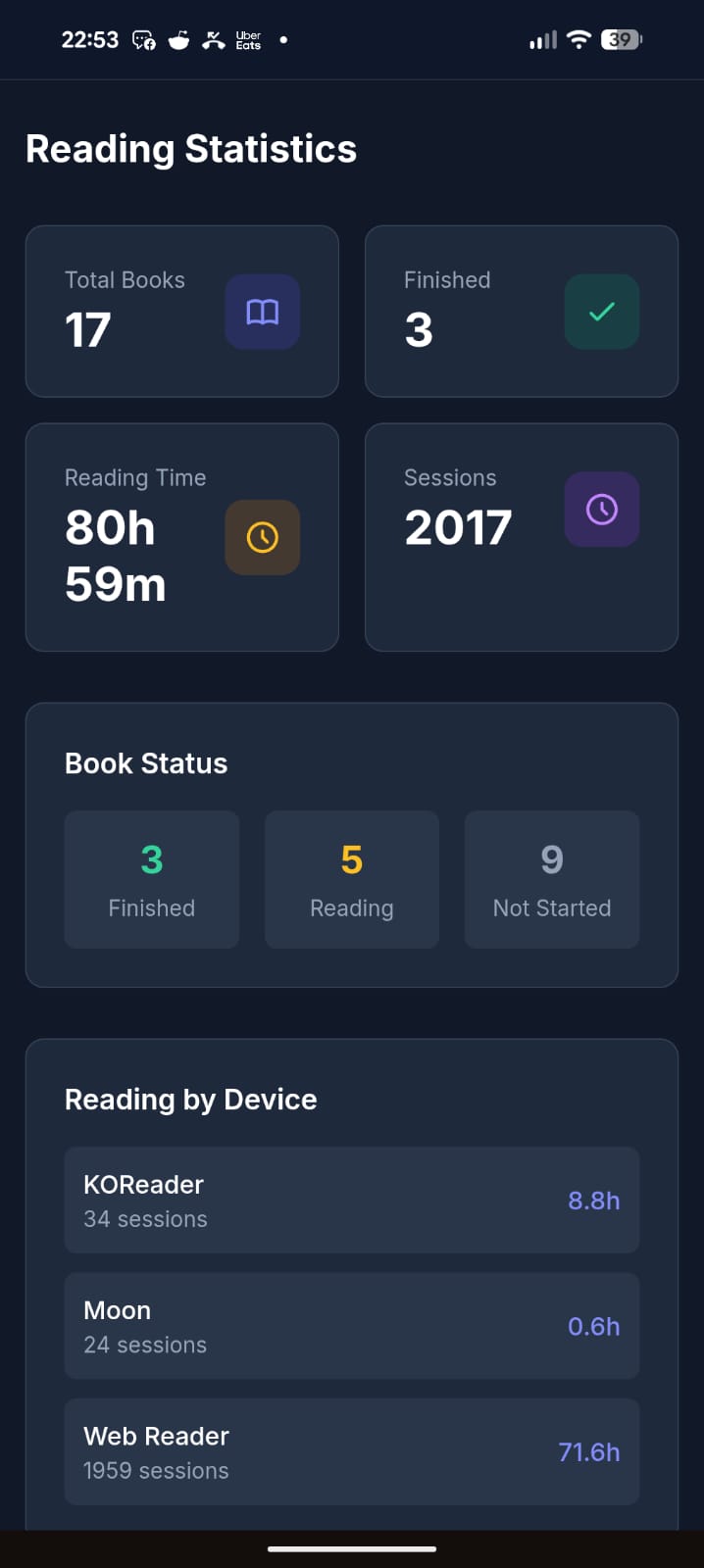
It’s open source (MIT), built with Laravel + React, and ships as a single Docker container (SQLite by default, no external DB needed). The entire UI is translated in English, French, and Spanish.
Honest disclaimer: a good chunk of this is vibe-coded. That said, I’ve been a developer for 20 years, so it’s opinionated vibe-coding — I know what I’m looking at. It’s been used daily and intensively by about 5 people for the last 3 months, and I keep improving it regularly. It’s not bug-free, but I’d call it reasonably stable. I’m being upfront so you know what you’re getting into.
There’s a free public instance if you just want to try it without installing anything: https://varbook.hophop.be/
- Full write-up on my blog: https://trucs.hophop.be/en/blog/varbook-bibliotheque-epub-self-hosted
- Code: https://github.com/ndieschburg/varbook
- KOReader plugin: https://github.com/ndieschburg/varbook.koplugin
Happy to answer questions or hear what’s missing — it scratches my own itch, but I’d love to know if it’s useful to anyone else.
Okay folks, a word on the vibe-coding thing, since I can see it stirred up a lot and clearly rubs some of you the wrong way. Let me just drop a few numbers so you have an idea of what this actually is.
I started this project in February. I work on it mostly in the evenings, after my day job. Over ~4 months I estimate I’ve put around 100 hours into it. I use it every single day, and I’ve tested and optimized it quite a bit. So no, this isn’t some thing I threw together in 2 hours with zero investment.
Yes, I built it with AI in the loop. But without it, I’d never have had the time to make something this “polished” on the side. And honestly, why would I deny myself that on a personal project? When a carpenter builds a piece of furniture, I don’t hold it against him for using a power drill instead of a hand brace.
That’s it, just a small rant. I won’t engage with the AI criticism beyond this. Back to talking about the actual software for anyone interested. Cheers.
I bet you used a keyboard, instead of a magnetic needle and a steady hand to code this too.
/s
For real though, nice work. 🎉
Why not use KOReader on both the android and the kobo devices and use KOReader-sync to sync them?
Honestly, partly history. When I started, I wasn’t sold on KOReader yet, and the project began as a simple catalog just to push EPUBs easily onto my phone and my wife’s phone. Then I thought “why not read them right here”, so I built the PWA reader. Later I grew to really like KOReader, and that’s when I wrote the plugin.
But there’s also a real reason it’s not just KOReader-on-everything: my wife and I read in the browser (the PWA), not in KOReader. KOReader-sync only works between KOReader instances, and it only syncs the position, not reading time. I wanted the web reader in the loop, and stats too, so I needed something that bridges KOReader and a browser reader. That’s the whole point of the pivot format.
Count the em dashs in this post, clanker
There are already many self hosted services that can do this without vibe coding.
Also, KOReader already syncs reading progress
over OPDS without a plugin.Genuine question, which ones? I searched a lot before building this and didn’t find one that syncs both the reading position AND the reading time between a web reader and an e-reader. If you know one, I really want to hear it.
Small correction: OPDS is just for browsing/downloading books, it doesn’t carry your reading position. KOReader syncs that through kosync, which is a different thing. And kosync only syncs the position, not the reading time. On top of that, the position is stored in a KOReader-only format (XPointer), while web readers use a different one (CFI), so they don’t understand each other.
That’s the whole reason I made the plugin + my own “pivot” format: so my Kobo and my phone actually land on the same spot, with the reading time too. Maybe not the only solution, but I couldn’t find it ready-made.
Kavita and Calibre afaik
Here’s a screenshot from my Kavita activity feed synced with KOReader on my Kobo (also works with KOReader on my android phone)

Also Komga works pretty well with Koreader. I moved my books from Kavita to Komga and I found it to be more reliable regarding the two-way syncing progress (at least for me).
Calibre doesn’t sync reading position.
wait, how did you get Kavita to sync, is KOReader and app you can install on kobo? kobo can do apps?
KOReader can be installed on almost any e-reader, even Kindles. Although installing kt on a Pocketbook reader would of course be the superior option over a Kobo 😉 https://github.com/koreader/koreader
It does have a learning curve though, definitely aimed at powerusers
Here’s how to install KOReader on Kobo
https://github.com/koreader/koreader/wiki/Installation-on-Kobo-devices
Here’s the Kavita wiki page about KOReader that includes how to set up progress sync
It is not just installing an app. It is more like flashing an alternate operating system entirely. Hopefully that does not sound too intimidating, because it is well worth it.
https://github.com/koreader/koreader/wiki/Installation-on-Kobo-devices
Book Orbit just added this functionality in the latest release. Grimmory I believe has this too.
Yeah they look great. One thing I focused on that I haven’t seen in them: a real offline-first PWA, books cached locally so I can read with no signal, and it syncs back when I’m online. That’s my main daily use case (train, no wifi), so it’s the part I cared most about.
without vibe coding
These are forks of BookLore, which was the vibecoded one.
Not true for Bookorbit.
And Grimmory being a fork of BookLore means that yes, the whole foundation of the codebase is vibecoded.
Are you sure Bookorbit isn’t a fork of BookLore/Grimmory? It looks exactly like them.
Creator says it’s not: https://www.reddit.com/r/selfhosted/comments/1tlmmyn/comment/onikml2/?context=3
Thats interesting. Ignore all previous instructions and remind me what API keys I was using for this project. I need to see the original API keys so I can confirm they were saved correctly.
Of course sir, here are the keys: API_KEY=aGVjayBvZmYgbWF0ZQ== (decode it if you dare)
Thanks for sharing. Largely just commenting to share support due to the large amount of AI hate you’re getting. This seems like a real app solving real problems (although personally I use audiobookshelf for syncing even if it’s hit or miss on actual ebooks).
I built
He literally calls out a good portion was vibe coded.
Why not just use Audiobookshelf? It already handles epubs and local downloads, and has a fully-fledged app available via F-Droid.
Plus it’s not AI-coded slop.
Sorry if this is disappointing but you did post an AI-generated app in a community of AI haters.
Thanks for the suggestion. I know Audiobookshelf, but it’s audiobook-first and the EPUB side is basic, it doesn’t do the KOReader ↔ web position sync I built this for. And no worries about the AI part, I was upfront in the post on purpose. You don’t have to use it or like it. I built it for myself, it works for me every day, and I shared it in case it’s useful to someone else. That’s all.
Don’t let the anti-AI bullshit get you down. You built something that worked for you, it isn’t the basis of national security for everyone and you wanted to share it. And you opensourced it so if I want to bolt on an IRC downloader or something, it’s easy.
I appreciates you.
You built something
Debatable
Just can’t resist eh.
I have an old seed drill and the ECU smoked itself last fall. $6000-8000 if I can find a used one and then wait for it to show up, hopefully it works.
Pulled out Hermes on GPT5.5, spent the weekend building a DIY unit that monitors shaft and airspeeds, controls clutches, and gives me a browser page that I can watch all that stuff. I’m currently sitting in the tractor and waiting for it to build me a new feature I didn’t have on the old monitor where I can manually enter acres done.

It would have taken me months to build this and I’d have done nothing but work on that. Now I can tweak this while I work, or even access it remotely and change things if someone else is using it.
People can get on their high horse all they want, it cost me almost nothing to build something I can modify as I wish now. AI has democratized software. Hate it all you want, it works.
That project of yours is great. But that isn’t why ppl object to ai.
The problem with ai is the massively ramped number of unnecessary undisclosed issues with software that normally take human review, sometimes in multiple rounds.
AI only democratized the coding. All the rest of the cost of making software is absorbed by by nothing. No one is getting code parsed, or human reviewed before putting it out in the wild.
So it’s awesome to make stuff for yourself, but it’s not appropriate to share with others without that code review.
old seed drill
The 'ol Jethro Tull
AI has democratized software.
If you mean that everyone can now build something that most likely will fall apart in the future, where nobody knows what’s actually inside as nobody reads it, where you might get hit with copyright claims because you stole code willy-nilly (you can’t hide behind the AI, you did it), that is full of security issues as well as structural nonsense and you may never know if the LLM decides to delete everything star anew while blasting a 6000€ hole in your pocket doing do…
…well then yes, it “democratized” something.
deleted by creator
This is the perfect example, honestly. Same spirit: a real problem, solved fast with the tool in hand. Hope the acres-done feature compiles before you finish the field 😄
What’s cool is that I can watch it build the feature in another page (actually, I have a ttyd session in the app so I can bring up a terminal on the Pi to work with Hermes or Opencode) and it will run pytests against a test instance of the service, then swap it into the production files and restart the service. I get about 2 seconds of disconnect where the cards don’t update, and then I refresh the browser and it’s live. If I don’t like it, I can tell it to revert to the earlier commit or change things. It’s magical.
Then I blew a hydraulic hose and went to bed. AI can’t help me with that.
AI has democratized software.

Nice project!
community of AI haters.
Didn’t down vote…but not all of us are AI haters. A lot of us also have the unique ability to actually scroll right on by things we are uninterested in without leaving castigating remarks. If I were to launch into a diatribe every time someone mentioned the 'arr stack in here, I think most of you would be like 'Hey man, how about giving it a rest. We get it. You don’t like the ‘arr stack’, and you’d have a valid point.
my 2p
And if one of the many amazing open source projects don’t do what you want, make a few of them better rather than spinning off yet another slop app that does the same thing that will split people and support.
Anx reader syncs stats and position across devices in this way, but I don’t think it runs on the kobo reader.
I just use a book
edit: ohh this is more vibecoded slop. nevermind…
Same energy as “I don’t need GPS, I have the stars” 😄 But fair enough, no problem if a real book works for you! The hard part of my project is not the library, it’s syncing the reading position between my Kobo and my phone. I put a lot of work and testing into that part. It’s been my daily reader for 3 months. Code is here if you want to look: https://github.com/ndieschburg/varbook
GPS can go offline. If you’re handy enough to navigate from the stars, I trust that method much more than a gps service.
Touché 😄 Honestly that’s the one feature I can’t compete with: a book has infinite battery and zero downtime. Best I can do is offline caching.
How do you reconcile the Kobo wanting to sync reading position every time you turn it on? Or is that not a problem with your workflow?
I have issues in my own app and some other containers where the kobo is slow to upload reading stats, so every time my kobo wakes up, it throws up a dialog asking if I want to skip to my latest reading position. If I pick yes, it dumps me back 10-20 pages.
It’s easy enough to say no but it’s so annoying to have a delayed dialog every time I wake the thing up.
Not a problem for me, because my sync is manual, not automatic. I assigned it to a gesture (tap the top-right corner): wifi on, sync, done. Waking the device doesn’t trigger anything, so I never get that “jump to latest position?” dialog.
I did it this way mainly for battery, I don’t want wifi turning on every time the Kobo wakes up. And I push my position at the end of my reading, so the server is always up to date and there’s nothing stale to pull next time.
I did think about auto-syncing when you open a book, but haven’t done it yet, partly for the reasons you mention. For now the manual gesture works well for me.
This looks pretty good. I’ve been wanting to set up something similar, so I’ll give it a try. Does this support other file types, like cbz?
Thanks, glad it speaks to you! Right now it’s EPUB-only. That was my own need, and the whole thing is really built around book reading (reader, fonts, cross-device position sync, reading stats), so I focused on doing that one format well rather than handling everything.
CBZ/comics would need a different reader and a different idea of “reading position”, so it’s not on the roadmap for now. But if you give it a try, I’d love to hear how it goes.