

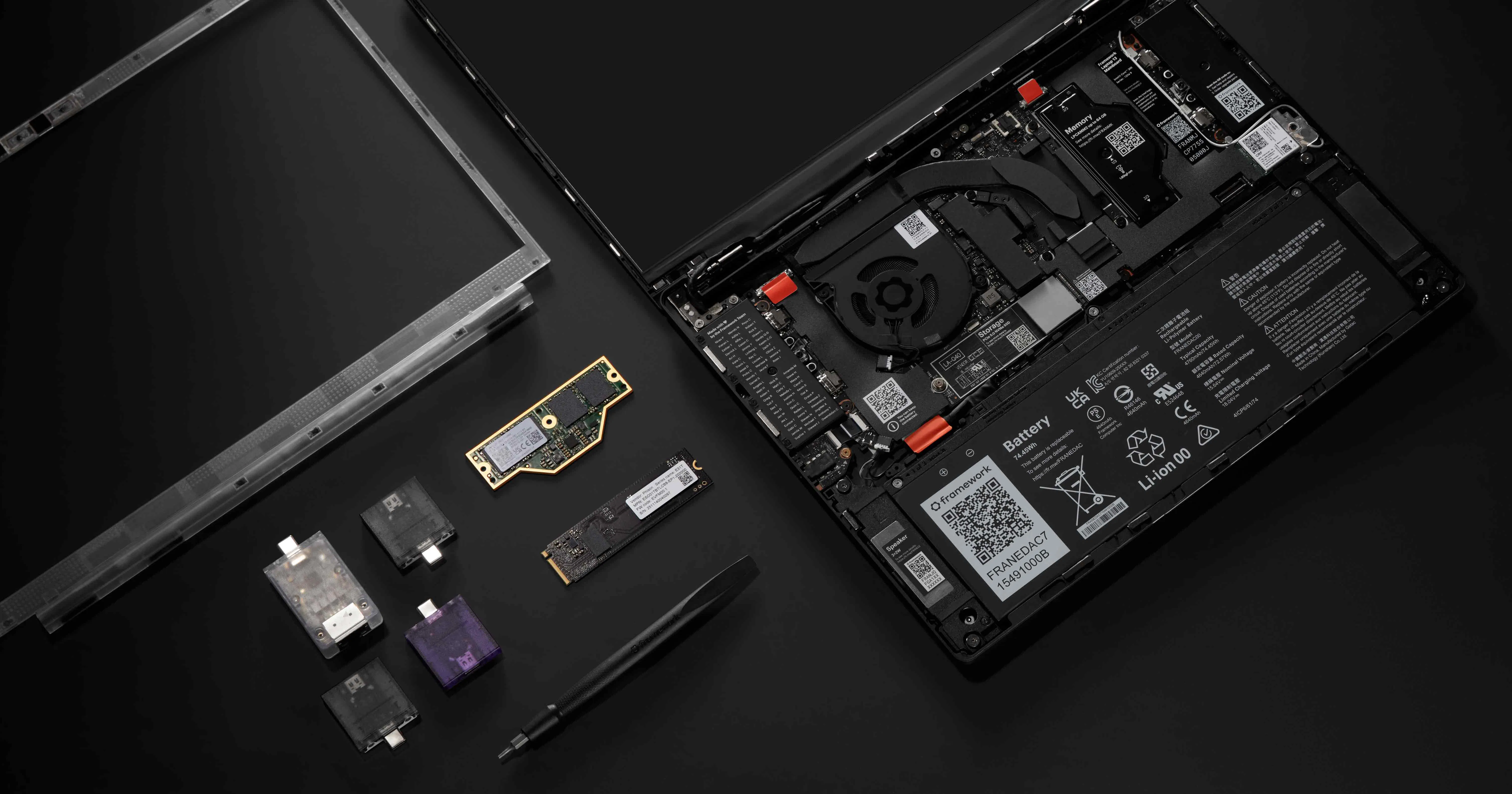
Framework announced the Framework 13 Pro including full Linux support right from the beginning.
Some quick information about the Device:
- will use Intel Core Ultra 300 (Panther-Lake)
- updated Battery Design with (up to) 20h Battery life
- custom designed Display Panel with Touch support (keeping the 3:2 aspect ratio)
- LPCAMM2 for upgradable/replacable RAM without compromising on Speed/Low Power of LPDDR5X
- milled Aluminium Unibody chassis
- Full Linux support right from the start (including Firmware update via LVFS, Fingerprint Reader, etc.)
- Haptic Touchpad
- and all the repairability features Framework is known for
You can watch their YouTube Video for a quick summary:
- YouTube: https://www.youtube.com/watch?v=GnOpIQJnYWU
- Invidious: https://inv.nadeko.net/watch?__goaway_challenge=js-refresh&__goaway_id=5a21ef489cbc0e9e48ccded2c92f2b68&__goaway_referer=https%3A%2F%2Finv.nadeko.net%2F&v=GnOpIQJnYWU
I was looking for a new laptop to replace my old Lenovo Yoga 370 and initially disregarded the Framework 13 because of some downsides (low Battery Life, bad Camera, etc.) and was looking to go with one of the following devices:
- HP Elitebook X g1a
- the new Dell XPS 14
- Asus Expertbook PM5 G2
or also a MacBook pro. I am using Linux since more then 10 years and never touched MacOS at all. So I was not sure if MacOS would work for me. But this announcement made it easy: It will be a Framework 13 Pro with Intel X7 358H!
It better not have a HiDPI display… It’s not “fully Linux compatible” if they ship it with a buggy, non-compatible HiDPI display.
“Full Linux support” should mean I don’t have blurry fonts, oddly shaped windows, stuck using only certain DEs, stuck using only certain apps.
Lol, just because you chose to use DEs that don’t support it well doesn’t mean every customer that wants high resolution has to suffer.
There’s no possible solution to this problem. Oh, no. If only someone could invent some way where customers that want to deal with bugs could buy a HiDPI display and customers who just want their software to work could chose a regular DPI display. Like, if 2 options were available or something crazy like that… Idk.
Also yeah, I’m on a super niche DE nobody has ever heard of: GNOME.
I’ve dealt with this first hand. It was so bad I returned my old Framework. Not doing that again. Anyway, looks like nothing has changed. Have fun dealing with scaling issues. ✌️
Not my issue that gnome sucks, I use KDE and hi DPI works for me
Yeah… try GNOME 50… the gnome dev team left their older versions behind and they have become hot garbage sadly.
Just put a lower resolution and good. No need to deal with buggy scaling implementations and lower battery life, for a difference you only see with your nose on the screen.
Then it could have been just a FullHD or 2k display as well? Yes.
All of the OSs that ship by default on Framework machines properly support HiDPI. I think it’s fair to expect that shipping with HiDPI is fine. Yes, or course, you can put your own OS on it, but I don’t complain to Dell when my preferred OS doesn’t support some piece of hardware properly.
What’s the issue with HiDPI ? I’m out of the loop.
KDE just merged a bunch of rendering improvements for HiDPI displays in their latest release.
I use it on a 2x scale display and it works perfectly fine.
HiDPI has been an issue on Linux for decades. If you’re new to Linux, I’d highly recommend you do not get a HiDPI display. You’re gonna have to apply workarounds to get your apps looking normal and for some apps you might just be stuck with blurry fonts.
If you’re new to Linux and want less problems, avoid HiDPI.
Just look at how big this thread got: https://community.frame.work/t/tracking-state-of-hidpi-on-linux/8301
Since the last response in the linked thread is quite old I think we have to revisit this in 2026. I hope that the latest update to GNOME 50 solved this. On my 34" 3440x1440 Display 1x scaling is just fine. But I guess this could be different on 2880 x 1920 on a 13.5" Screen.
Is this still an issue with the latest KDE Plasma & Gnome ?
In the announcement they say the resolution (2880x1920) was chosen to be used at 2x scaling for that reason.
I dont fully get that? Its not a multiple of 1920x1080, so thats unclear to me.